FlowyAIPC v1.5.2 Update: Review shots one by one, just like a director.
FlowyAIPC v1.5.2 introduces a new short-form video storyboard director workspace with shot-by-shot preview, review, and regeneration for a more controllable AI video workflow.

AI video generation is becoming increasingly easy, yet the real headache often lies in "how to make edits after generation."
If a single shot isn't quite right, you have to regenerate the whole sequence; if a character's state is off, you're stuck "rolling the dice" again; and if the transitions between shots are clunky, adjusting them individually is difficult.
As AI evolves from merely "helping generate content" to "helping complete the creative process," the crucial factor is no longer just generation capability, but whether you can maintain full control over the creative workflow.
This is the core update in Flowy v1.5.2.
With this release, we’re taking AI video creation a step closer to a "director's perspective."
🎬 Short-Form Series Director's Dashboard: Shot-by-Shot Preview and Review
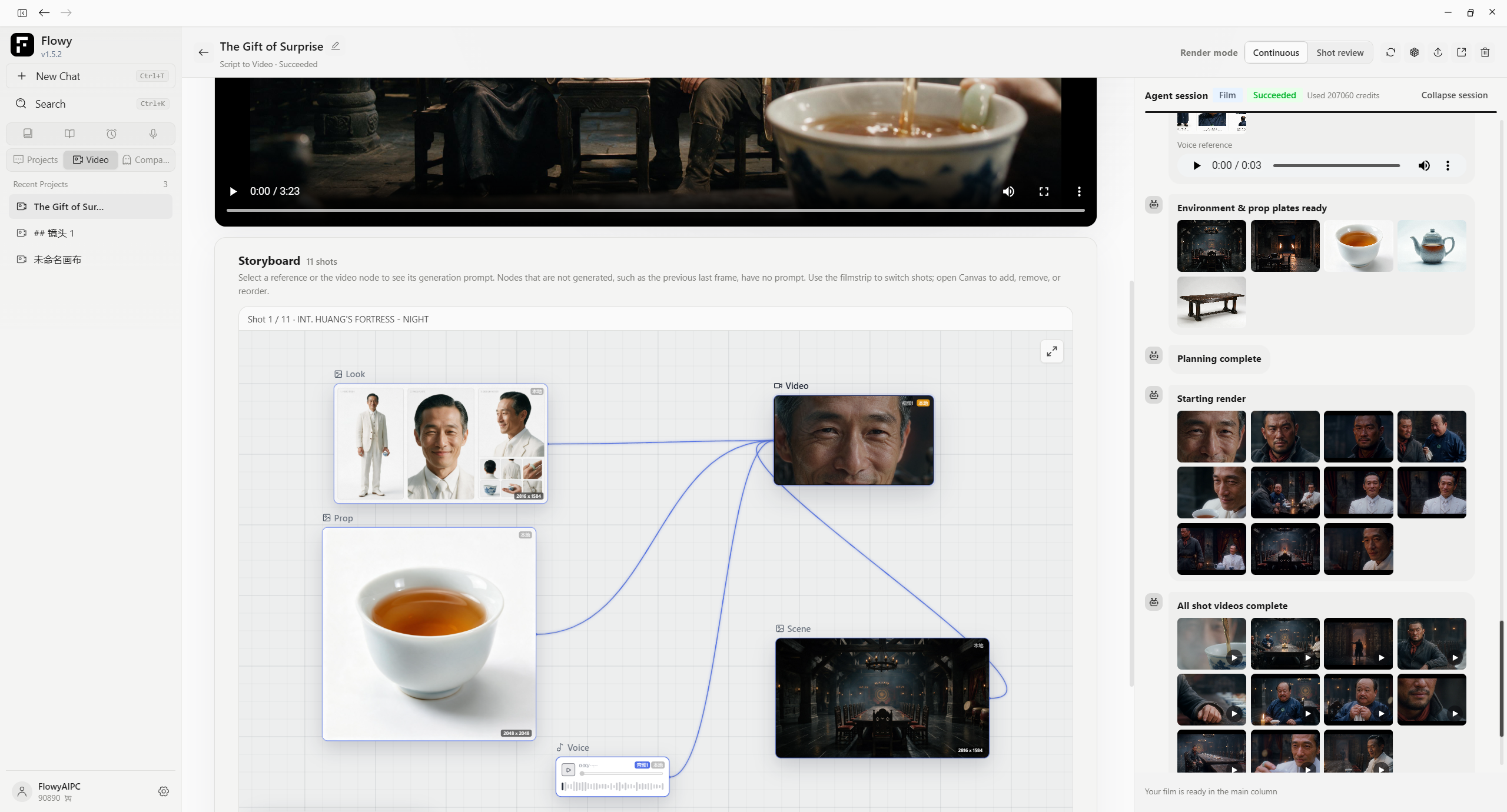
The biggest feature in v1.5.2 is the all-new "Short-Form Series Director's Dashboard."
In the past, creating AI videos often felt like simply waiting for a result:
Input requirements → AI generates → View result → Dissatisfied → Try again.
This was particularly problematic for short-form series involving multiple shots; a single issue in one shot could have a ripple effect on the entire project.
Now, Flowy breaks the series down into individual shots that can be viewed and managed independently.
Every shot has its own canvas
You can lay out the entire series shot-by-shot on an infinite canvas. Characters, scenes, props, visuals, audio, and generated results can all be viewed and organized around specific shots. You can start from the first shot and review them one by one.
Instead of waiting until the entire film is generated to see the result, you can see exactly what is happening in each shot throughout the creative process. **
🎞️ Continuous Generation or Shot-by-Shot Review? You Decide
To accommodate different creative workflows, short-form drama tasks offer two modes:
"Continuous Generation"
Ideal for scenarios where you want to complete an entire segment quickly.
Multiple shots are generated and assembled sequentially according to your plan, minimizing intermediate steps.
"Shot-by-Shot Review"
Ideal for projects requiring higher standards for visuals, characters, settings, and cinematography.
Generate a shot, review it, and proceed to the next only after confirming the current shot is perfect.
The difference between these two modes isn't about generation speed, but rather:
The extent to which you want the AI to make decisions for you.
🔄 Rework Specific Shots That Don't Make the Cut
This is the most crucial aspect of this workflow. In the past, a single problematic shot in a video segment often meant regenerating the entire sequence.
Now, things are different. Address only the specific shot that has an issue.
Character expression off? Regenerate that shot.
Scene not meeting expectations? Adjust that shot.
Camera movement unsatisfactory? Tweak that shot.
Once a preceding shot is approved, there is no need to scrap everything and start over due to a localized issue. This means AI video creation is, for the first time, aligning more closely with traditional film and TV production methods:
Approving shots one by one, rather than simply accepting whatever is generated.
🎥 Moving Beyond "Gacha-Style" Luck to True Control Over Every Shot
As AI video technology evolves, the act of "generation" is no longer the only challenge. What truly shapes the creative experience is this:
Can I decide exactly what this shot looks like?
-
Can I review it beforehand?
-
If I spot an issue, can I modify just that specific part?
-
Can I maintain my creative vision consistently across multiple shots?
Flowy v1.5.2 answers this by putting more control back into the creator's hands.
So, we’d sum up this update in one sentence:
No more "blind draws"—preview and review shot by shot.
AI handles the generation, but the final visuals are up to the creator.
Be a true director, not just a spectator.
✨ What else is new besides the Storyboard Director's Console?
Beyond the core Storyboard Director's Console feature, v1.5.2 includes numerous refinements to the day-to-day user experience.
🧑💻 Improved Code Reading & Editing
Code block highlighting has been upgraded to Shiki.
Code rendering is now more accurate across various programming languages, parameters, and JSX, while also aligning better with the editor's overall visual style.
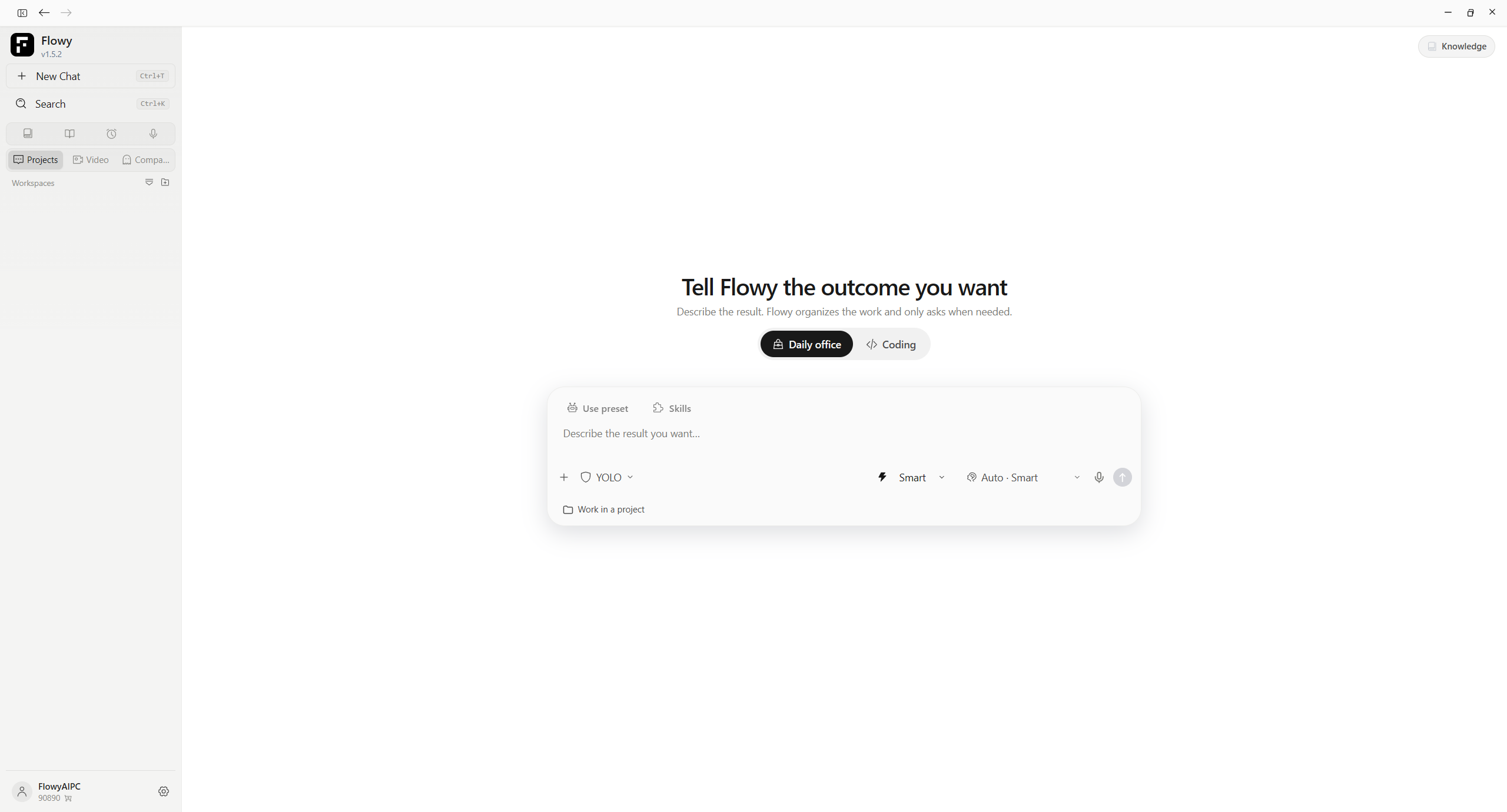
🖥️ More Intuitive Work Mode Selection
The "Office / Coding" work mode options on the home screen have been moved to a position directly above the input box.
You can now select your desired work mode more easily before starting a conversation.
✏️ Easier Nickname Changes
You can now change your nickname simply by double-clicking your account name in the sidebar. 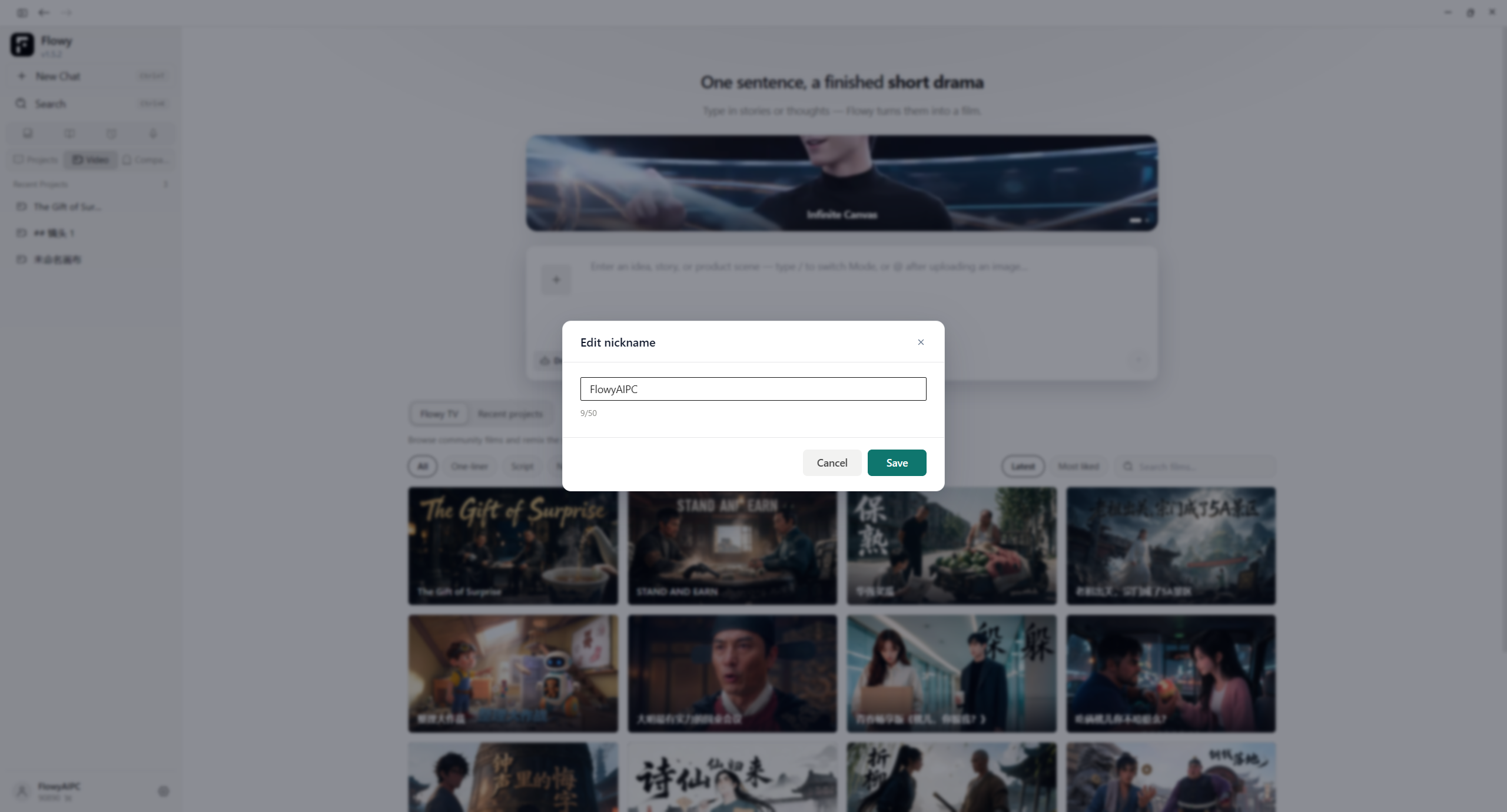
📋 Optimized Message Copying Experience
When copying content—such as prompts—from messages, the text is no longer obscured due to display area limitations.
This ensures a smoother experience for users who frequently copy prompts, code, and long blocks of text.
📂 Scrollable Workspace File List
The "Changed Files" list in the workspace now supports scrolling.
This makes it easier to browse the full list of changes in projects with a large number of files.
⚡ More Stable and Efficient
Beyond UI and functional updates, Flowy has been further optimized for long-term usage and model requests.
More Stable Long-Session Compression
Tool outputs are no longer easily lost during the compression of long sessions.
Context handling is now more stable for scenarios involving continuous complex tasks and extended conversations.
Refined /compact Behavior
Manually executing /compact no longer automatically triggers the generation of a summary.
This aligns the compression operation more closely with user expectations.
Improved Request Prefix Caching
The request prefix caching mechanism has been optimized to reduce unnecessary redundant processing.
Optimized DeepSeek Requests
Redundant transmission of reasoning data from previous turns has been reduced for DeepSeek requests.
In specific scenarios, this lowers unnecessary token consumption while improving response speeds.
Closing Thoughts
Flowy v1.5.2 is more than just an update that adds new features.
The most significant change in this upgrade is a shift in our thinking: How many decisions should an AI video tool actually make on behalf of the user?
We believe that AI can handle generation and execute complex workflows. However, when it comes to true creative work, the creator should hold the right to review, edit, and make the final call.
So this time, we start with the storyboard.
- Review shot by shot.
- Edit shot by shot.
- Approve shot by shot.
Go through the footage shot by shot—just like a director.
Flowy v1.5.2
🎬 Director’s Dashboard for Short-Form Series Storyboarding 🎞️ Seamless Sequence Assembly / Shot-by-Shot Review 🔄 Independent Shot Re-processing 💻 Optimized Coding Experience ⚡ Enhanced Long-Session & Token Management
Let AI handle the generation; keep true control over your creative vision.
📥 Try Flowy Now https://flowyaipc.com