FlowyAIPC Is Here: A Smarter AI Workspace for Work and Video Creation
Suggested meta description snippet (you can insert these keywords naturally): FlowyAIPC 1.4.4 launches with redesigned AI workspace, AI Video Workbench, Browser & Computer Use, knowledge base and workflow automation. This lightweight Windows AI agent handles daily work and AI video creation.
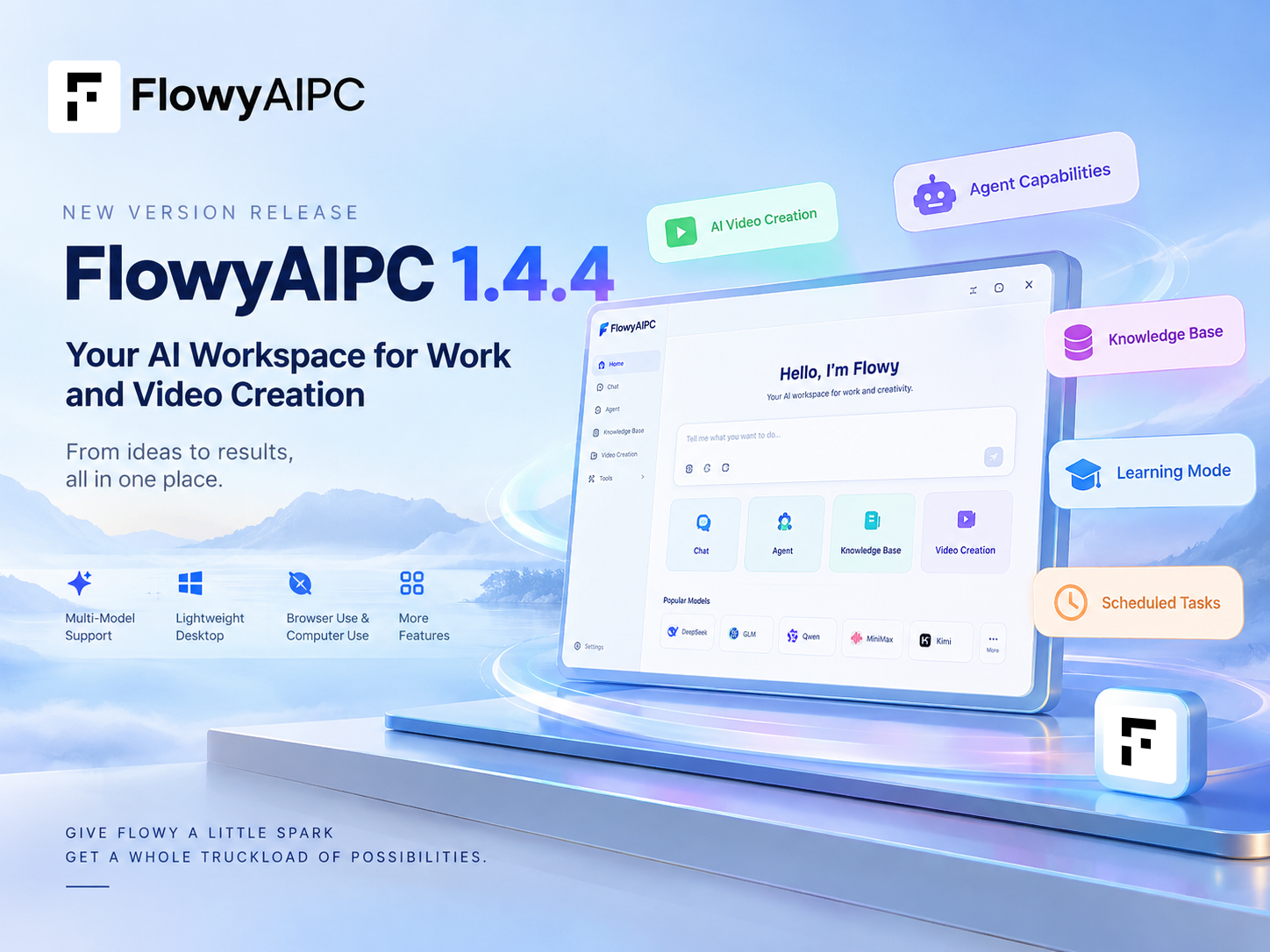
After more than a month of public beta testing, feedback, iteration, and refinement, FlowyAIPC has officially moved from version 0.5.2 to 1.4.4.
This is more than a version number change.
During the beta period, we spent a great deal of time improving the interface, refining workflows, expanding model support, and exploring how AI can become a more useful part of everyday work and creative tasks.
Today, we are introducing the new FlowyAIPC 1.4.4.
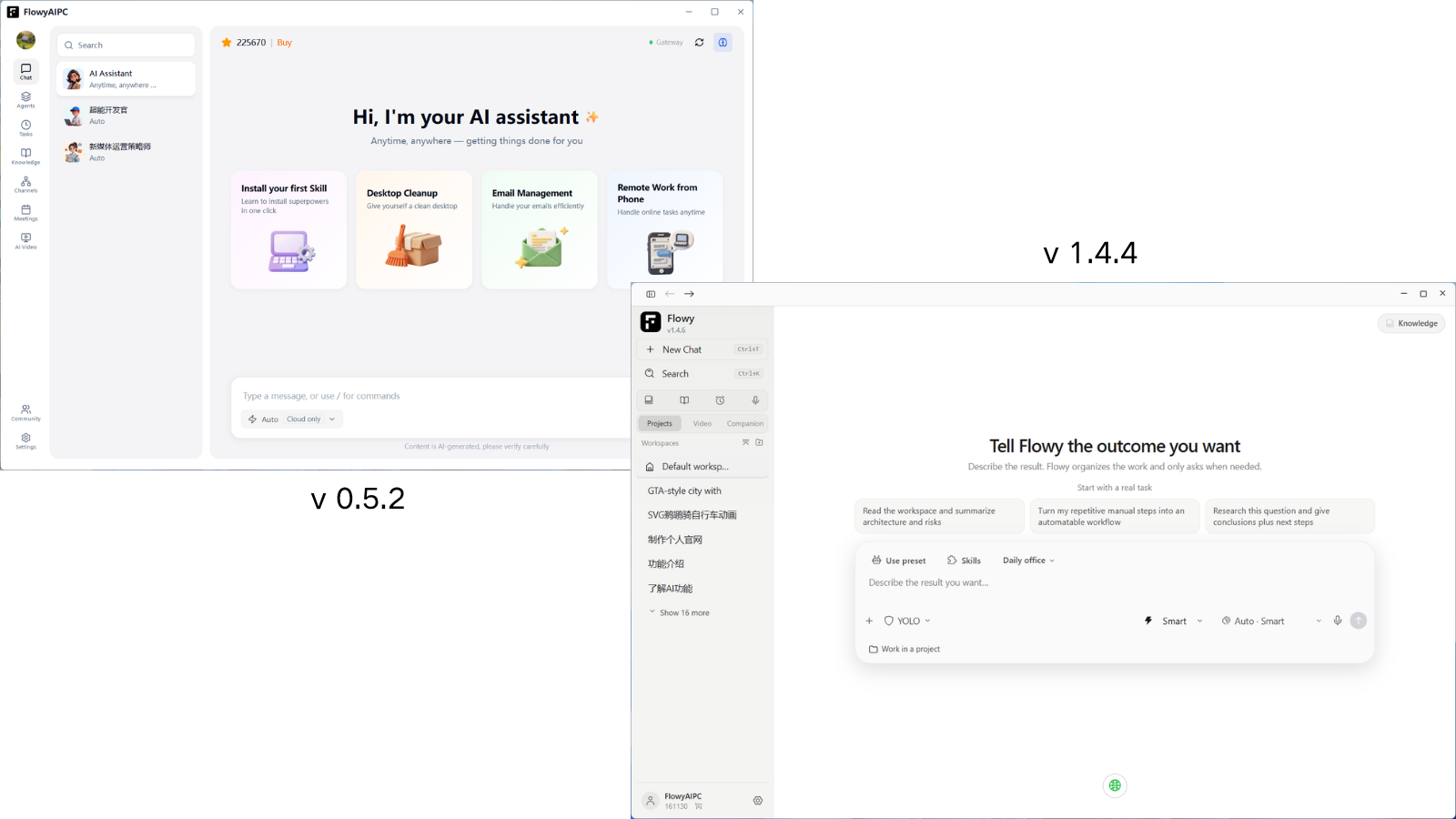
A New FlowyAIPC, Redesigned from the Ground Up
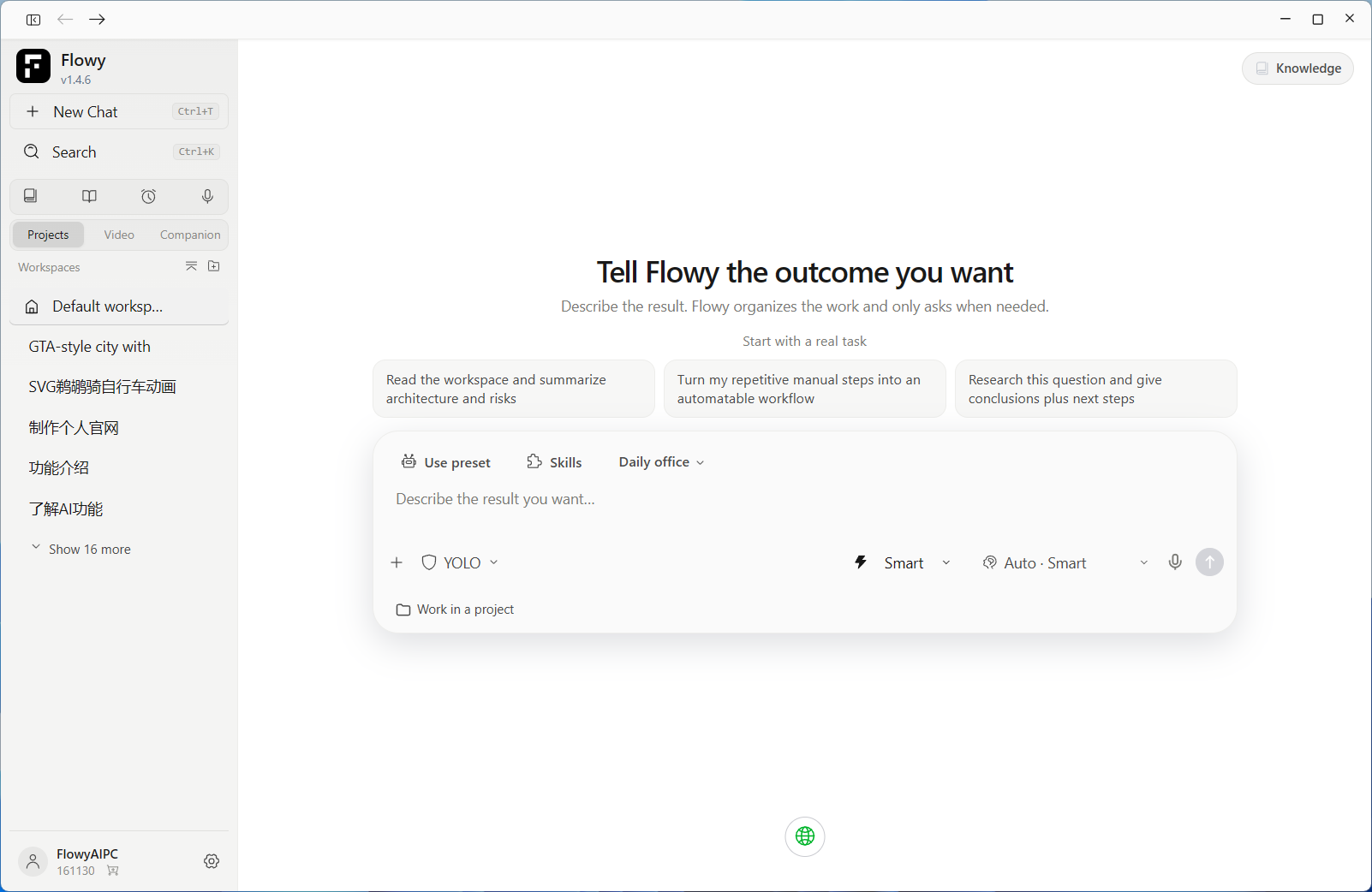
The first thing you will notice in version 1.4.4 is the new interface.
The overall experience has been redesigned to feel cleaner, lighter, and easier to navigate.
More importantly, the new interface is designed around a simple idea:
Tell Flowy what you want to accomplish, and let it help you move from an idea to a usable result.
From everyday work to creative projects, FlowyAIPC brings more AI capabilities into one unified desktop workspace.
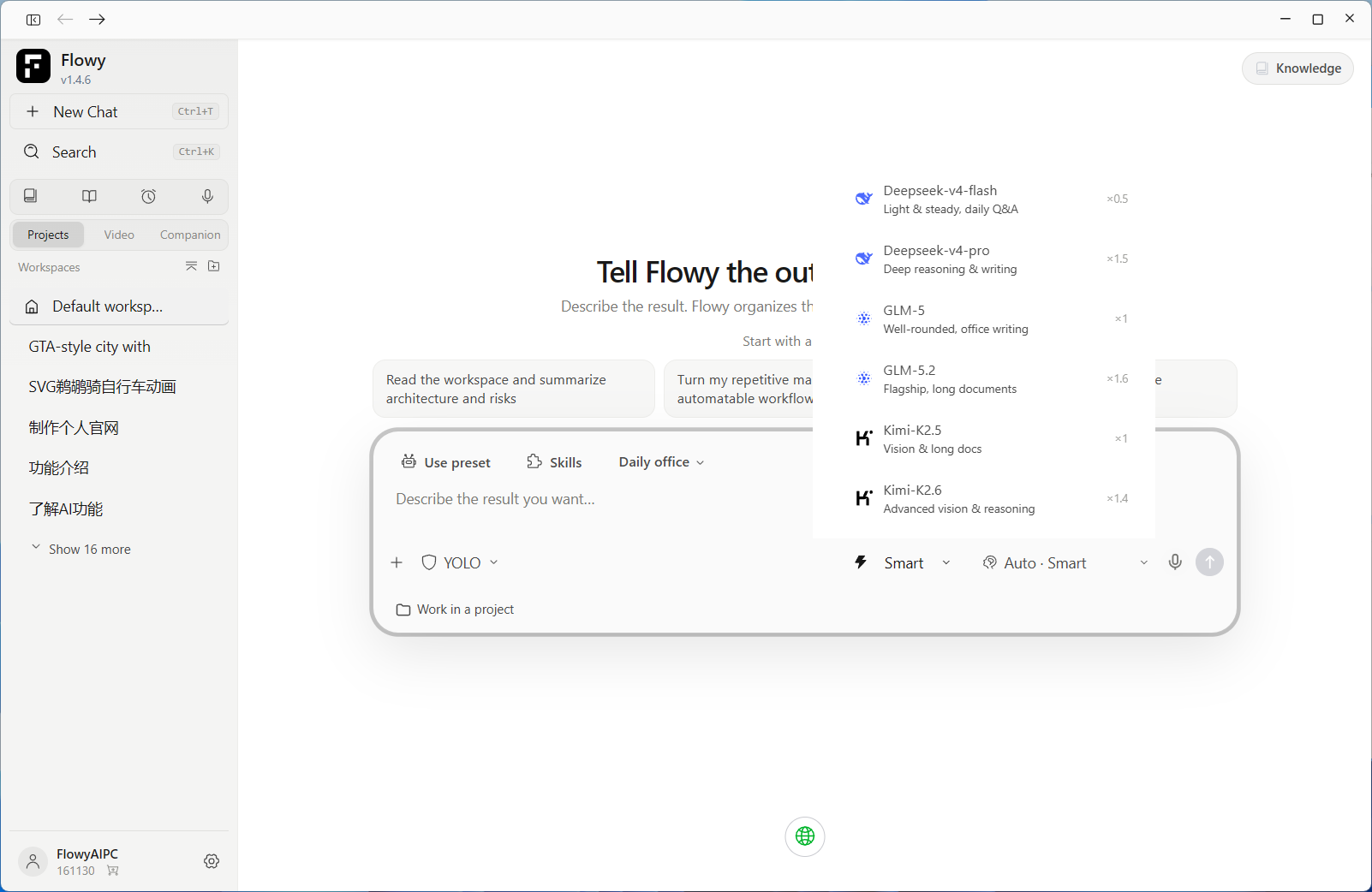
Choose the Model That Fits the Task
FlowyAIPC brings multiple model options into one workspace, including DeepSeek, GLM, Qwen, MiniMax, Kimi, GPT,OPUS,Gemin and more.
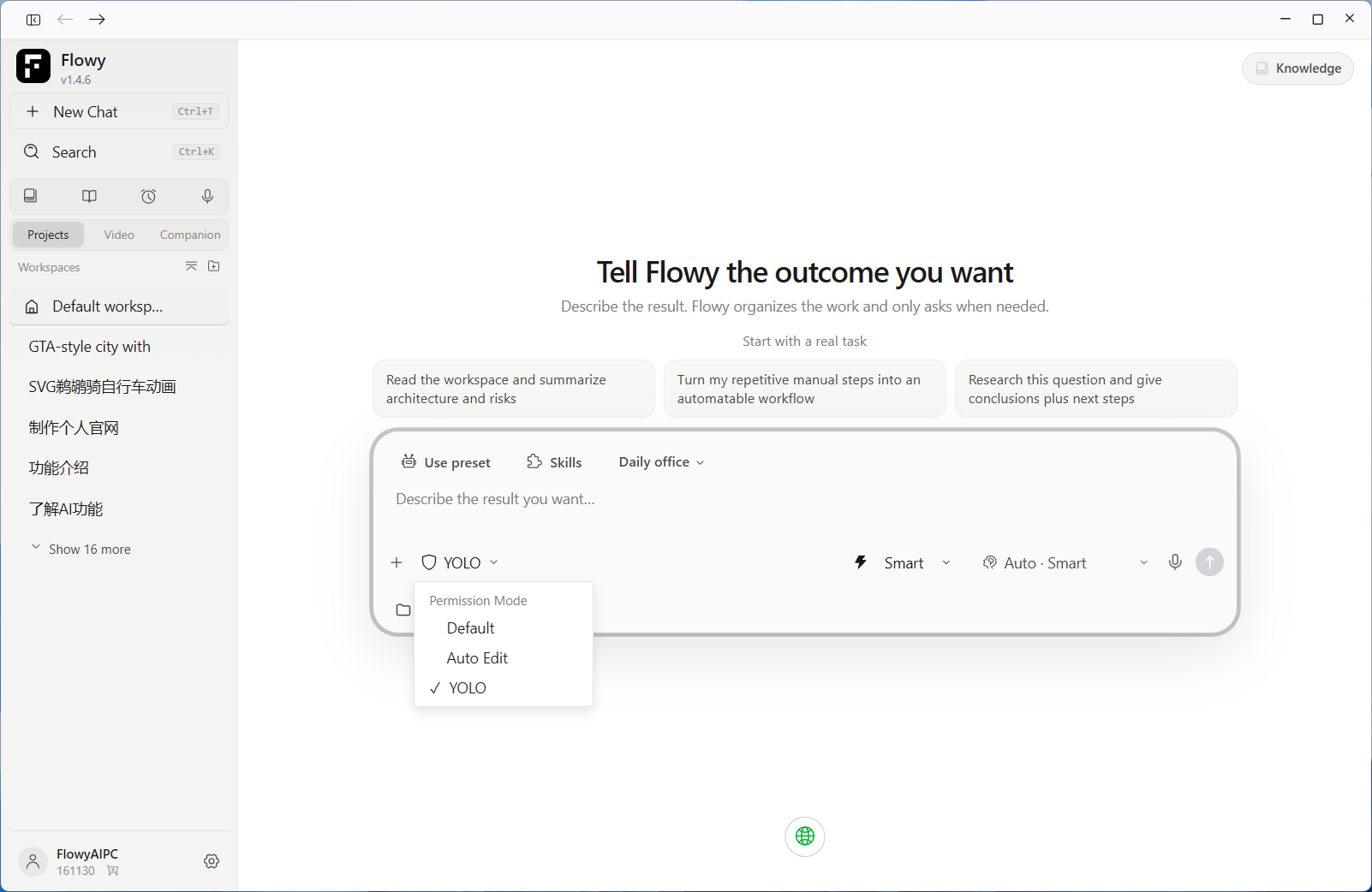
You can also choose between three usage modes:
Smart
For tasks where you want Flowy to make more intelligent model decisions.
Balanced
For a balance between capability and resource usage.
Economy
For lighter everyday tasks.
The goal is simple: give users more control over how AI is used in different situations.
Control How Much AI Can Do
AI becomes more useful when it can take action, but control still matters.
FlowyAIPC provides three permission levels:
Default
A more controlled experience for everyday use.
Auto Edit
Allows AI to handle more editing tasks automatically.
Full Access
For workflows where you want AI to have broader access to complete tasks.
You decide how much control to give the software.
More Than Answers: FlowyAIPC Helps Get the Work Done
The most important change in FlowyAIPC is not simply how many questions it can answer.It is what happens after you give it a task.
From understanding your request to delivering the result.
You tell Flowy what you want to accomplish.It can then understand the request, break the task into steps, work with the information and tools it needs, and organize the output into a usable result.
For example:
- Organize research → extract key information → analyze it → create a report
- Process files → classify and organize → extract content → deliver the results
- Plan a project → structure the ideas → develop the plan → create the final content
- Create a video → develop the concept → generate prompts → build storyboards → create keyframes → produce the final video
You don't have to explain every step.Just tell Flowy what you want to get done.That is the shift we want FlowyAIPC to bring: From using AI to getting work done with AI.

When an Idea Becomes a Video
One of the biggest additions in version 1.4.4 is the new AI Video Workbench.
We wanted video creation to be more than a simple “prompt in, video out” experience.
That is why FlowyAIPC introduces a workflow that connects ideas, prompts, storyboards, keyframes, and final output.
You can also explore finished works shared in the community and open individual projects to understand how they were created.
Instead of only seeing the final video, you can inspect the creative process behind it.
Four Ways to Create
FlowyAIPC provides four video creation modes for different workflows.
Instant Video
Turn an idea into a complete video quickly.
Short Drama Studio
Build more structured narrative content and multi-scene stories.
Infinite Canvas
Create and arrange visual content in a more flexible canvas-based workflow.
Consultation & Talking Head
Create videos centered around spoken communication and presenter-style content.
The video workflow also supports customizable aspect ratios, duration, and output quality.
You can choose from models such as Seedance, Wan, and MiniMax-H3 depending on your creative needs.
From Prompt to Storyboard to Final Video
Creating a long-form AI video can become complicated quickly.
FlowyAIPC makes the process easier to understand by organizing the key steps of creation.
A project can include:
Prompts → Storyboards → Keyframes → Final Video
This gives creators more control over the structure of the project while keeping the workflow approachable.
It also means that learning from other creators becomes easier. When you open a shared project, you can see more than just the final result.
The Opening Animation Was Made with FlowyAIPC
There is one more detail worth mentioning.
The opening animation of our latest product video was also created with FlowyAIPC.
That was intentional.
We wanted to show what the new workflow is actually capable of by using the product itself to create part of the launch experience.
Your Own Knowledge, Built into the Workflow
Creative work is only one part of the new release.
FlowyAIPC also introduces more tools for longer-term, personalized workflows.
Knowledge Base
Bring your own files and information into the workspace so Flowy can work with content that matters to you.
Learning Mode
Create a more structured learning process around your goals and knowledge.
Scheduled Tasks
Set recurring tasks once and let Flowy handle them on schedule.
Meeting Notes
Turn meeting content into structured summaries, conclusions, and follow-up items.
A Lightweight AI Desktop Experience
AI applications can become increasingly complex as more capabilities are added.
FlowyAIPC takes a different approach.
The desktop client is designed to remain lightweight, with a small installer, low disk usage after installation, fast startup, and relatively low runtime memory requirements.
That makes it especially suitable for everyday Windows computers used for office work, where system resources may already be shared across productivity software, browsers, documents, and communication tools.
AI does not always need to mean a heavy desktop application.
If you have benchmark data, add the actual installer size, installed disk usage, startup time, and memory usage here.
Browser Use and Computer Use
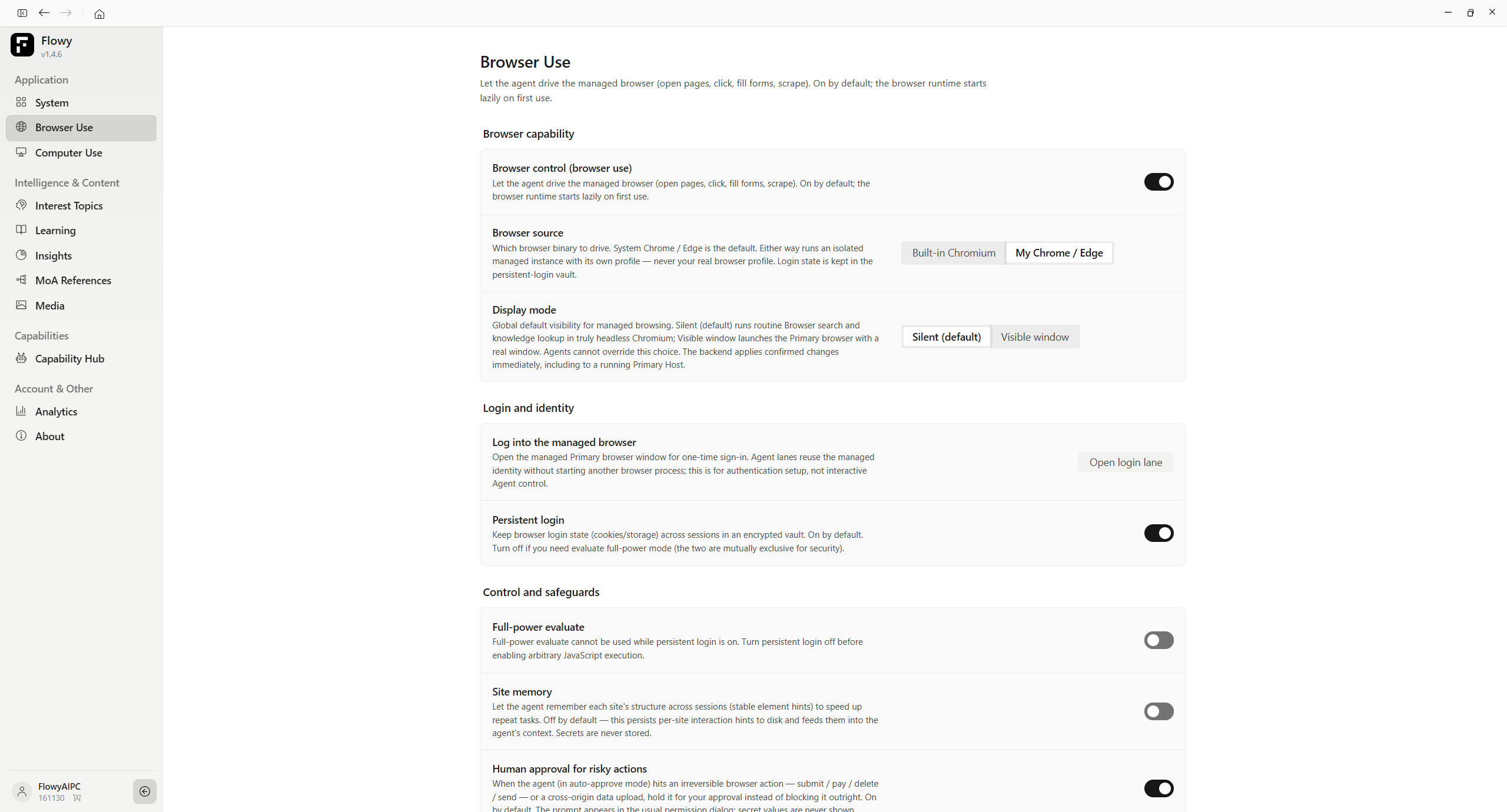
FlowyAIPC also extends AI interaction beyond the chat box.
With Browser Use and Computer Use capabilities, AI can work with web pages and computer environments to complete tasks that involve browsing, information gathering, and direct interaction.
This moves AI from simply explaining a process toward actually helping execute it.
A New Chapter for FlowyAIPC
FlowyAIPC 1.4.4 is the result of more than a month of public testing and continuous iteration.
From version 0.5.2 to 1.4.4, the product has changed significantly—not only in appearance, but also in how work and creative workflows come together.
Today, FlowyAIPC can help with everyday work, content creation, knowledge management, learning, scheduled tasks, and AI-powered video production.
It can be a practical desktop AI workspace for work, and a creative environment for turning ideas into content.
We will keep improving it based on how people actually use it.
FlowyAIPC 1.4.4
Give Flowy a little spark. Get a whole truckload of possibilities.
From work to creation, from ideas to results.
The new FlowyAIPC is officially here.